Gather Card Options
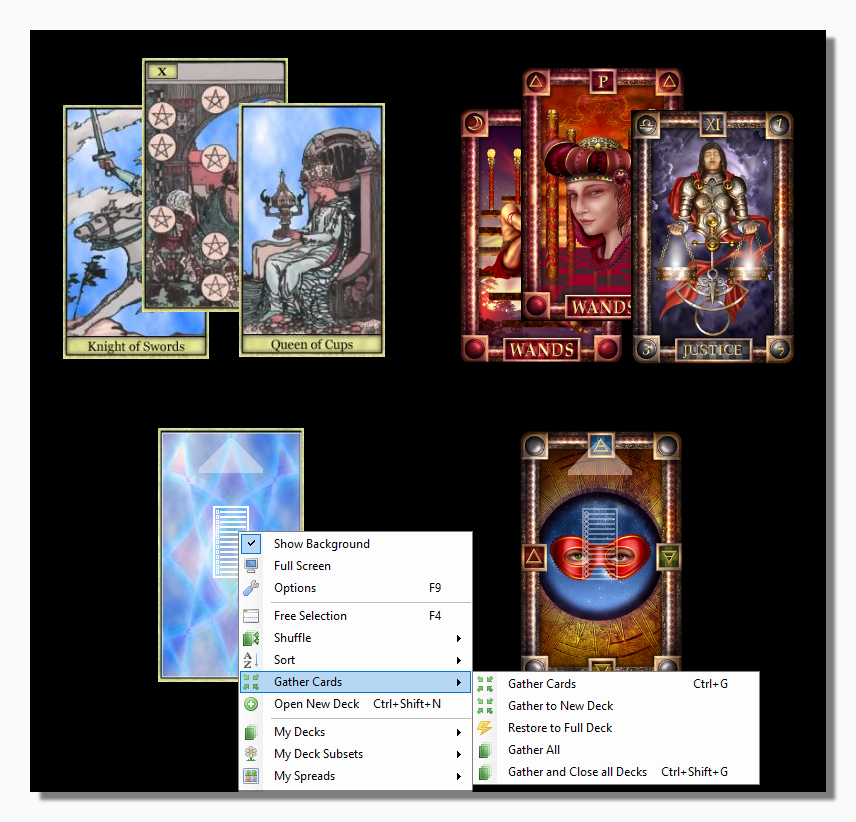
The program offers the following methods and shortcuts for gathering the cards that are out:
Gather Cards (Control+G) gathers the cards which are out from the current deck (i.e. the deck whose menu you are using, in this case the Traditional Tarot) and returns them to the top of the deck.
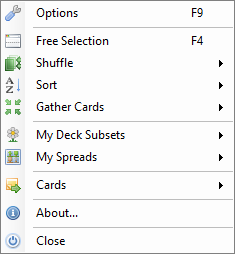
Gather to New Deck takes the same cards and gathers them to a new Deck Form with a restricted set of Main Menu options which nevertheless allows independent shuffling and dealing.
|
| Reduced Menu |
The new Deck Form constitutes an unsaved subset and shows as such in the title bar of the Background Form.
This feature is useful for certain complex spreads that require a selection of cards to be dealt and then removed or otherwise treated separately from the remaining cards.
Restore to Full Deck This menu option is available for saved and unsaved subsets. When you click on it the cards in the subset are collected and any missing cards added so that it becomes a full deck of cards in the current session.
Gather All gathers all the cards from every deck or subset which is open and returns them to their respective decks.
Gather and Close all Decks (Control+Shift+G) gathers all the cards from every deck or subset which is open and returns them to their respective decks before then closing the deck. The only deck which is not closed in this process is the principal deck.